

Mobile applications have become an essential part of everyday life. People use them to shop online, manage finances, communicate with others, learn new skills, and access business services. Because users expect these applications to work smoothly, developers must ensure that every feature performs correctly before and after an app is released. 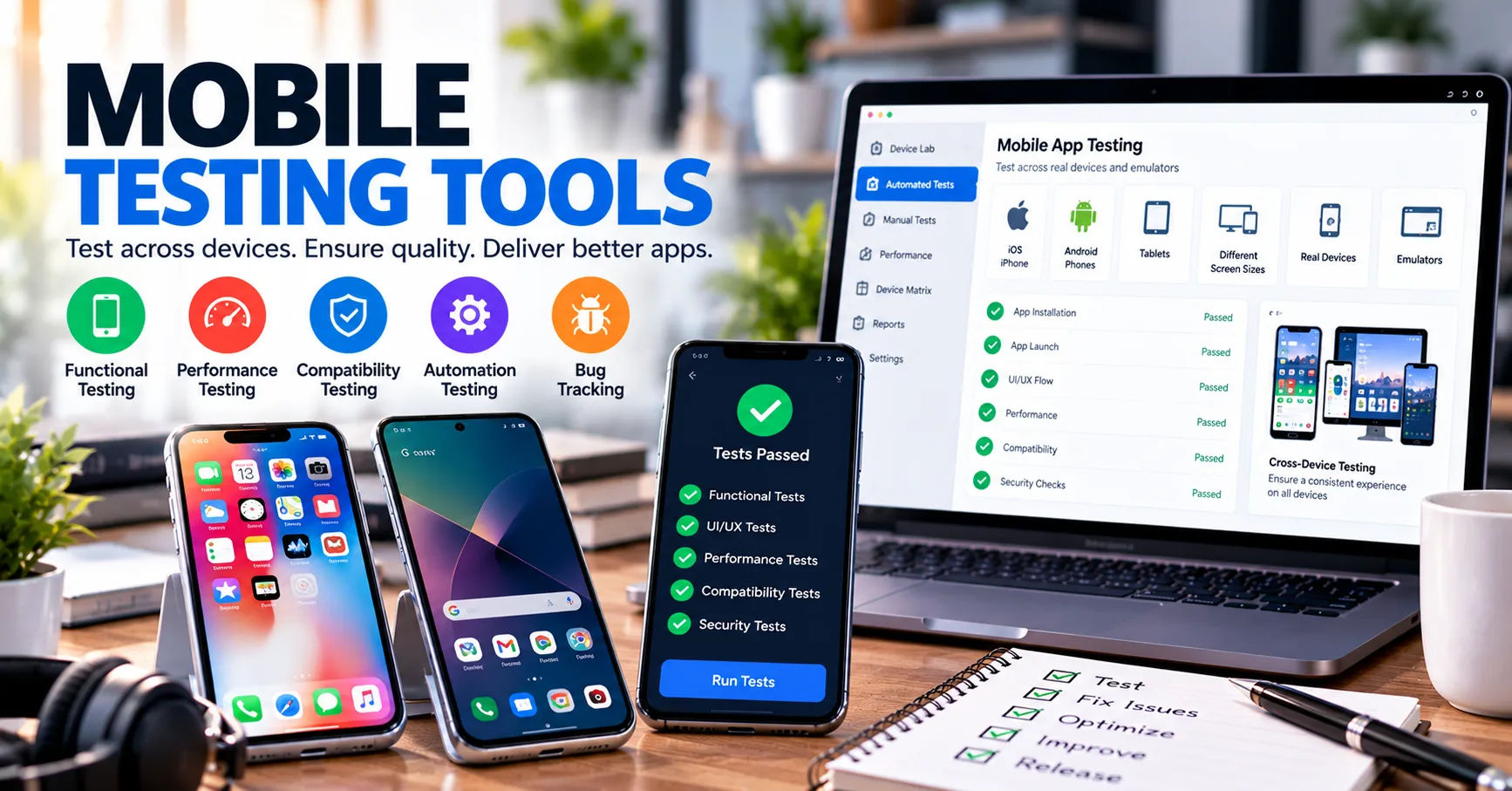 This is where mobile application testing software becomes valuable.
Testing tools help developers identify problems, evaluate performance, check security, and confirm that an application works across different devices and operating systems. They can test everything from basic buttons and login forms to complex payment processes, network behavior, and data protection features. Thorough testing also helps businesses reduce technical issues and deliver a better user experience.
Understanding what mobile application testing software can test allows businesses, developers, and quality assurance teams to build more reliable applications. By selecting the right testing methods, teams can discover defects early, improve application stability, and reduce the risk of costly failures after launch.
What Is Mobile Application Testing Software?
Mobile application testing software refers to tools and platforms used to examine the functionality, performance, security, usability, and compatibility of mobile applications. These tools help testers determine whether an application meets its requirements and provides a consistent experience for users.
Testing software can evaluate applications designed for Android, iOS, and other supported mobile environments. Depending on the tool, testing may take place on physical devices, virtual devices, emulators, simulators, or cloud-based testing platforms.
Some tools focus on automated testing, while others support manual testing or combine both approaches. Automated tools execute predefined test cases, compare actual results with expected outcomes, and report errors. Manual testing allows human testers to explore the application and identify problems that automated scripts may overlook.
Why Is Mobile App Testing Important?
Mobile devices vary in screen size, processing power, operating system version, memory, and hardware capabilities. An application that works correctly on one phone may behave differently on another.
Testing helps identify these differences before they affect users. It also supports application quality by checking whether features work as intended, sensitive information remains protected, and performance stays acceptable under different conditions.
Without proper testing, businesses may experience application crashes, failed transactions, security weaknesses, negative reviews, and customer dissatisfaction.
1. Functional Testing
Functional testing checks whether an application's features perform according to their intended requirements. It focuses on what the application does rather than how quickly it operates or how attractive its interface looks.
This is one of the most important areas that testing tools can evaluate.
Login and Registration Features
Testing tools can check whether users can create accounts, sign in, sign out, reset passwords, and update account information.
They can also verify input validation. For example, a registration form should reject an invalid email address or display an appropriate message when a required field is empty.
Automated tests can repeat these actions across multiple scenarios to identify inconsistencies.
Buttons, Forms, and Navigation
An application may contain buttons, dropdown menus, search fields, tabs, and navigation links. Functional tests confirm that these elements respond correctly to user interactions.
For example, tapping a shopping cart icon should open the cart rather than redirect the user to an unrelated page.
Testing tools can also check whether forms accept valid information, reject incorrect entries, and display meaningful error messages.
Business Processes and Transactions
Many applications depend on multiple steps working together. An online shopping app, for instance, may require users to select products, add them to a cart, enter shipping details, and complete payment.
Testing software can verify that the entire process functions correctly. It can also examine edge cases, such as an expired payment session or an item becoming unavailable during checkout.
These checks help prevent incomplete transactions and confusing user experiences.
2. Compatibility Testing
Compatibility testing determines whether an application works properly across different devices, operating systems, screen sizes, and hardware configurations.
Mobile users do not all have the same devices. Consequently, compatibility is essential for reaching a broad audience.
Android and iOS Compatibility
Testing tools can check whether applications behave correctly on supported versions of Android and iOS.
Operating system updates may introduce changes that affect permissions, notifications, background processing, or application interfaces. Testing helps developers discover problems associated with these changes.
Teams can test multiple operating system versions to determine whether older devices and newer releases remain supported.
Screen Sizes and Resolutions
Mobile phones and tablets come in many shapes and sizes. An interface that looks correct on a large screen may appear crowded or incomplete on a smaller device.
Compatibility testing can identify problems such as overlapping text, hidden buttons, distorted images, and incorrectly positioned menus.
Responsive interface testing is especially useful for applications that support both phones and tablets.
Device and Hardware Differences
Testing software can evaluate behavior across devices with different memory capacities, processors, cameras, sensors, and storage limitations.
For example, a camera application should handle supported camera features correctly, while a navigation app may need to respond accurately to location services.
Testing across representative devices helps teams identify hardware-related issues before release.
3. Performance Testing
Performance testing measures how efficiently an application operates under different conditions. Users generally expect mobile applications to open quickly, respond immediately, and remain stable during extended use.
Slow or unreliable performance can cause users to abandon an application.
App Launch Time and Response Speed
Testing tools can measure how long an application takes to start, load a screen, display search results, or complete an action.
These measurements help developers identify slow operations and determine whether improvements are necessary.
For example, a shopping app that takes too long to load product listings may need optimized images, improved caching, or more efficient server requests.
Memory and CPU Usage
Mobile applications share device resources with other running processes. Excessive memory or processor usage can cause overheating, lag, or unexpected crashes.
Performance testing can monitor memory consumption, CPU activity, and other resource indicators during important application tasks.
This information helps developers identify inefficient code and resource-intensive operations.
Load and Stress Testing
Load testing examines application behavior under expected levels of activity. Stress testing pushes the system beyond its normal operating conditions to reveal weaknesses.
These tests are particularly useful for applications that rely on online services.
For example, a ticket-booking application may experience a sudden increase in traffic when a popular event becomes available. Testing can help determine whether the application and its supporting services can handle the demand.
4. Security Testing
Security testing examines whether an application protects users, devices, and sensitive information against unauthorized access and other threats.
Mobile applications often process personal details, account credentials, payment information, and private communications. Security weaknesses can expose this information to attackers.
Authentication and Authorization
Testing tools can check whether login mechanisms work correctly and whether access controls prevent unauthorized actions.
For example, a standard user should not be able to access administrative functions simply by changing a request or modifying an application screen.
Testing can also evaluate session expiration, password reset procedures, and supported multi-factor authentication processes.
Data Storage and Transmission
Applications sometimes store information locally or transmit it between a device and a remote server.
Security tests can investigate whether sensitive information is improperly stored, exposed in logs, or transmitted without appropriate protection.
Testers may also examine how the application handles authentication tokens and confidential configuration data.
Vulnerability Detection
Depending on their capabilities, testing tools can identify insecure dependencies, weak configurations, unsafe data handling, and other common vulnerabilities.
Some tools perform static analysis on source code, while others inspect application behavior during execution.
However, automated tools cannot guarantee complete security. Expert reviews, penetration testing, secure development practices, and regular updates remain important parts of a comprehensive security program.
5. Usability and User Interface Testing
An application can function correctly and still frustrate users if its interface is difficult to understand. Usability testing evaluates whether people can navigate the application easily and complete tasks without unnecessary confusion.
Interface Layout and Visual Elements
Testing tools can check screen layouts, element positions, text visibility, and certain visual differences between expected and actual screens.
Visual regression testing is particularly useful when developers update an application. It compares screenshots from different versions to identify unintended changes.
For example, a new release might accidentally shift a confirmation button below the visible screen area. A visual comparison may help reveal the problem.
Touch Interactions and Navigation
Mobile applications depend on touch gestures such as tapping, swiping, scrolling, and pinching.
Testing can verify whether supported gestures trigger the correct actions and whether navigation remains consistent throughout the application.
Testers should also check that interactive elements have suitable sizes and spacing, reducing accidental selections.
Accessibility Testing
Accessibility testing checks whether an application can be used by people with different abilities.
Depending on the tools available, tests may identify missing accessibility labels, insufficient color contrast, incorrect reading order, or controls that are difficult to operate with assistive technology.
Developers can use these findings to improve support for screen readers, larger text, and alternative interaction methods.
Automated accessibility checks are helpful, but testing with actual assistive technologies and users can reveal additional problems.
6. Network and Connectivity Testing
Mobile applications often depend on internet connectivity to retrieve information, synchronize data, or communicate with remote servers. However, mobile connections can be inconsistent.
Network testing examines how an application responds when connectivity changes.
Slow Internet Connections
Testing tools can simulate limited bandwidth, high latency, and delayed responses. This helps developers understand whether the application remains usable when internet access becomes slow.
For example, an application may need to display a loading indicator rather than appearing frozen while retrieving information.
Offline Functionality
Some applications should continue working when a device loses its internet connection.
Testing can determine whether locally available information remains accessible, whether users can save changes, and whether the application displays suitable offline messages.
When connectivity returns, testers can examine whether pending updates synchronize correctly.
Switching Between Wi-Fi and Mobile Data
Users frequently move between Wi-Fi and cellular networks. Such transitions can interrupt active requests or cause temporary connection failures.
Testing helps verify whether the application reconnects properly, restores interrupted operations where appropriate, and avoids duplicating transactions.
These checks are especially important for financial, travel, communication, and e-commerce applications.
7. Battery Consumption and Resource Management
Battery life is an important part of the mobile user experience. An application that consumes too much power may discourage users from keeping it installed.
Testing tools can help monitor battery usage and identify resource-intensive activities.
Background Activity
Some applications continue running tasks when users switch to other apps or lock their screens.
Testing can examine whether background services operate only when necessary and whether they stop or reduce activity according to the application's requirements.
For example, a messaging application may need background notifications, but it should not continuously perform unnecessary processing.
Location and Sensor Usage
Applications that use GPS, Bluetooth, cameras, or other sensors can consume additional energy.
Testing can evaluate whether these features activate appropriately and whether access stops when it is no longer needed.
Developers can use the results to reduce unnecessary resource consumption without removing essential functionality.
8. Notifications and Background Processing
Notifications keep users informed about messages, reminders, account activity, and important updates. Testing tools can verify whether notifications are delivered and handled correctly.
Push Notifications
Testing can check whether a notification reaches the appropriate device, displays the correct content, and opens the expected screen when selected.
It can also examine behavior when notifications are disabled or when users have not granted the necessary permissions.
Background Tasks and Synchronization
Applications may download files, update records, synchronize account information, or process queued activities in the background.
Testing can help determine whether these tasks complete successfully and whether they recover appropriately after interruptions.
For example, a note-taking app should avoid losing saved changes if the operating system suspends the application temporarily.
9. Installation, Updates, and Uninstallation
Testing does not end when an application opens successfully. Installation and update processes must also work correctly.
Fresh Installation
Testing tools can check whether an application installs, launches, and requests permissions as expected.
They can also verify that the first-use experience works properly and that required initial settings are configured correctly.
Updating Existing Versions
Application updates can introduce compatibility problems, database errors, or changes that affect stored information.
Testing can verify whether users can upgrade from supported previous versions without losing important data or encountering unexpected errors.
Teams should test relevant upgrade paths rather than checking only fresh installations.
Uninstallation and Reinstallation
Testers can examine whether uninstalling an application removes its local files as expected and whether reinstalling it produces the intended behavior.
If the application supports cloud backups or account synchronization, tests should verify that supported recovery procedures work correctly.
Privacy and data-retention requirements must also be considered when determining what information should remain available after removal.
10. Database and Data Integrity Testing
Mobile applications frequently store, retrieve, modify, and synchronize information. Data integrity testing checks whether this information remains accurate and consistent.
Data Entry and Validation
Testing tools can verify that information entered by users is processed correctly.
For example, a budgeting app should calculate totals accurately and reject invalid numerical inputs where required.
Tests can also examine whether special characters, long text entries, and unexpected values cause errors.
Data Synchronization
When an application operates across multiple devices, information may need to synchronize between local storage and a remote database.
Testing can examine whether updates appear correctly across devices and whether conflicts are handled according to the application's rules.
Error Recovery
Unexpected shutdowns, connection failures, or interrupted operations can affect stored information.
Testing helps determine whether the application can recover without losing or corrupting data. It can also verify that repeated requests do not create duplicate records or transactions.
11. API and Third-Party Integration Testing
Many mobile applications rely on external services rather than performing every operation directly on the device.
These services may include payment gateways, mapping providers, analytics platforms, authentication services, and cloud storage systems.
API Communication
Application programming interfaces, or APIs, allow applications to exchange information with servers and external systems.
Testing can verify that requests contain the expected information, responses are processed correctly, and errors are handled safely.
For example, a travel application should display an understandable message if a booking service temporarily becomes unavailable.
Payment Gateway Integration
Testing can examine payment workflows, including successful transactions, declined payments, cancelled checkouts, and interrupted responses.
It should also verify that the application does not accidentally charge users twice when a request is repeated.
Payment testing should use approved test environments and simulated transactions rather than unauthorized real charges.
External Service Reliability
Third-party services may experience delays, outages, or changes. Testing can evaluate whether the application responds appropriately when these services fail.
Useful checks include timeout handling, retry behavior, fallback messages, and recovery after service availability returns.
12. Regression Testing
Regression testing checks whether recent changes have caused previously working features to fail.
Even a small code update can affect unrelated areas of an application. For example, changing the login process might unintentionally interfere with saved preferences or account synchronization.
Automated Regression Tests
Testing tools can rerun existing test cases after code changes. This helps teams identify defects early and reduces the time needed for repetitive manual checks.
A useful regression suite focuses on important user journeys, high-risk features, and areas frequently affected by development work.
Continuous Integration and Continuous Delivery
Many development teams connect testing tools to their continuous integration and continuous delivery pipelines.
Automated tests can run whenever developers submit code or prepare a new build. If a critical test fails, the team can investigate before releasing the application.
Not every test must run after every change. Fast, high-value checks can run frequently, while longer device, performance, and security tests can run at suitable stages.
13. Localization and Language Testing
Applications serving users in multiple countries must display information correctly in different languages and regional formats.
Localization testing checks whether translated content, dates, currencies, numbers, and other region-specific details are handled appropriately.
Language and Text Display
Testing can identify untranslated labels, text that exceeds its available space, incorrect character rendering, and layout problems caused by longer translations.
For languages written from right to left, testers should also verify that text alignment and interface direction work correctly.
Regional Settings
Dates, currencies, measurement units, and number formats vary by location.
For example, a date that is clear in one region may be confusing in another. Localization testing helps ensure that regional settings produce the intended display and behavior.
14. Interruptions and Real-World Usage Scenarios
People rarely use mobile applications in perfect conditions. Phone calls, incoming messages, alarms, permission prompts, and operating system events can interrupt normal activity.
Testing tools can simulate many of these situations.
Incoming Calls and Application Switching
Testers can examine whether an application resumes correctly after an interruption or when a user switches to another application.
A video player, for instance, should follow its intended pause and resume behavior when a call arrives.
Screen Rotation and Device State Changes
Some devices allow users to rotate their screens or change display settings while an application is running.
Testing can verify that the interface adapts correctly and that unsaved information remains available when appropriate.
Repeated Actions and Unexpected Inputs
Testing can simulate repeated taps, empty submissions, invalid values, and unusual sequences of user actions.
These scenarios can reveal crashes, duplicate requests, confusing error messages, and other defects that may not appear during ordinary use.
How to Choose the Right Mobile Application Testing Software
Not every testing platform supports every test type. The right choice depends on the application's technical requirements, target users, development process, and available resources.
Consider the following factors before selecting a solution.
Platform Support
Choose a tool that supports the operating systems, devices, frameworks, and application types your team uses.
If your application supports both Android and iOS, verify that the tool can test the required platforms and versions.
Automation Capabilities
Evaluate whether the software supports reusable test scripts, automated execution, detailed reports, and integration with your development pipeline.
Automation is especially useful for repeated tests, but manual testing remains valuable for exploratory work and subjective usability evaluations.
Real Devices and Cloud Testing
Emulators and simulators are useful for quick checks, while physical devices can reveal hardware-specific behavior.
Cloud device farms may help teams test across a broader range of devices without purchasing and maintaining every model themselves.
Reporting and Integration
Look for clear error reports, screenshots, logs, and diagnostic information that help developers reproduce failures.
Integration with source control, issue tracking, and build systems can also make testing more efficient.
Cost and Scalability
Compare licensing costs, device availability, execution limits, maintenance requirements, and the amount of technical knowledge needed.
A suitable solution should meet current needs while allowing the testing process to grow as the application becomes more complex.
Best Practices for Effective Mobile Application Testing
Selecting suitable tools is only one part of a successful testing strategy. Teams also need a structured process.
-
Start early: Test requirements and important features during development instead of waiting until the application is nearly complete.
-
Prioritize critical journeys: Focus on login, payments, data storage, and other operations that directly affect users.
-
Test across representative devices: Include common devices, supported operating system versions, and relevant screen sizes.
-
Combine manual and automated testing: Use automation for repeatable checks and human judgment for exploratory and usability testing.
-
Test realistic conditions: Simulate weak networks, interruptions, limited resources, and unexpected user actions.
-
Review failures carefully: Investigate the underlying cause instead of simply rerunning failed tests.
-
Repeat tests after changes: Use regression testing to confirm that updates do not introduce new defects.
-
Monitor released applications: Production monitoring and user feedback can reveal problems that were not detected before launch.
A risk-based approach helps teams use their time effectively. Not every feature requires the same testing depth, but security-sensitive operations and essential user journeys deserve particular attention.
Conclusion
Mobile applications must perform reliably across different devices, operating systems, network conditions, and user scenarios. Testing is essential for identifying weaknesses before they affect customers and for maintaining quality as applications evolve.
As this guide explains, mobile application testing software can test a wide range of areas, including functional behavior, compatibility, performance, security, usability, accessibility, network connectivity, battery consumption, notifications, installation, data integrity, API integrations, regression, and localization. The exact coverage depends on the capabilities of the selected tool and the testing strategy used by the development team.
However, no single testing method can identify every possible defect. Automated testing provides speed and repeatability, while manual testing helps uncover unexpected problems and evaluate real user experiences. Combining these approaches with security reviews, device testing, and continuous monitoring creates a more dependable quality assurance process.
Businesses should choose testing tools based on their platform requirements, application complexity, budget, and risk level. They should also establish clear testing priorities and repeat important checks whenever significant changes occur.
Ultimately, effective mobile application testing is not just about finding errors. It is about protecting user information, improving application stability, reducing maintenance costs, and creating an experience that people can trust. With a consistent and well-planned testing process, development teams can release higher-quality applications and respond more confidently to changing user expectations.

Leave a Reply